Read aloud and audiobooks, on your computer. It will come to Windows and Mac.
Read aloud.
Keep the audiobook.
Bedside Reader will read documents aloud and turn books into chaptered audiobooks, offline on your computer. Words will light up as they are read.
Bedside Reader will be a desktop app for Windows and Mac. Send yourself the link and open it on your computer.
Pro will have a 30-day refund. · The Mac version will need a Mac with Apple silicon (M1 or later) and macOS 14 or later. Windows requirements will be listed at launch.
Reading aloud will stay free: every voice, every file the app opens, no time, word or page limit, and no account.
The Mac version will need a Mac with Apple silicon (M1 or later) and macOS 14 or later. Windows requirements will be listed at launch.
On your phone?
Alice’s Adventures in Wonderland
Alice was beginning to get very tired of sitting by her sister on the bank, and of having nothing to do: once or twice she had peeped into the book her sister was reading, but it had no pictures or conversations in it, ‘and what is the use of a book,’ thought Alice ‘without pictures or conversations?’
I’m Matthew Kerr, and I make Bedside Reader in Grand Rapids, Michigan. My test book is Alice’s Adventures in Wonderland: I counted 26,615 words in its 12 chapters.
Free
$0
What Free will do
- Read aloud with every voice
- Every file the app opens, no time, word or page limit
- Export the first chapter of any book
What Free will not do
- Export a whole book
Pro
Bedside Reader Pro: $19 once until 31 January 2027. Then $29.
Speechify Premium is $139 a year, so $417 over 3 years (speechify.com/pricing, read 20 November 2026).
What Pro will add
- Whole books as chaptered audiobooks
- Windows: one M4B file, or MP3 files by chapter
- Mac: M4B. MP3 export on Mac arrives in a later version
- One key for up to 3 computers, Mac or Windows
Pro will have a 30-day refund.
Mac: The Mac version will need a Mac with Apple silicon (M1 or later) and macOS 14 or later.
Windows: The Windows requirements will be listed once they are checked on the signed build.
Try the free route first
Windows already reads aloud. Why another app?
Read Aloud is built into Microsoft Edge. Windows Narrator is built into Windows. If you only want to hear a page now and then, start there. The Microsoft pages read here do not state how to save Read Aloud audio to a file. Edge no longer opens EPUB ebooks. Microsoft points readers to Microsoft Store apps.
Reading will be free, with every voice. Pro will export whole books as chaptered audiobooks; the first chapter of any book will export free.
Microsoft’s own support pages, read 21 November 2026. Links are in Sources below.
What version 1 will do
Open it. Hear it. Keep it.
Six things the first release is being built to do, each checked against the app’s code before it went on this page.
Opens what you have
Bedside Reader will open EPUB, PDFs with selectable text, Word (DOCX), PowerPoint (PPTX), Markdown, TXT and pasted text. Scanned PDFs will be refused.
Follow every word
Words will light up as they are read.
Chaptered audiobooks
On Windows, Pro will export a book as one chaptered M4B file or as MP3 files by chapter. On Mac, version 1 will export M4B only. MP3 export on Mac arrives in a later version.
A sleep timer
Bedside Reader will have a sleep timer.
Read copied text
Bedside Reader will have a shortcut that reads copied text aloud.
11 voices, on your computer
Bedside Reader will have 11 American English voices in version 1. The Kokoro voices (Apache-2.0) will run on your computer. Nothing you read will be uploaded.
How it will work
From a book on your screen to a book in your ears.
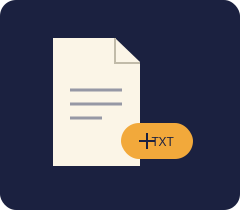
Open your book
You will open an EPUB, a PDF with selectable text, a DOCX, PPTX, Markdown or TXT file, or paste text.
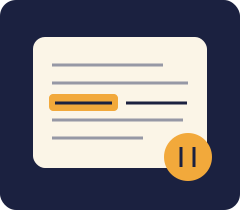
Listen and follow
Pick a voice and press play. Words will light up as they are read.
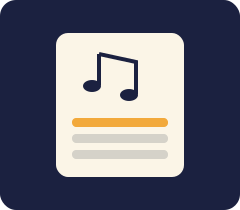
Keep the audiobook
The first chapter of any book will export free. Pro will export the whole book, with its chapters.
Drawings, not screenshots. Real screens of the first build will replace them.
Version 1 · Coming 10 December
Counted, not guessed.
Each number comes from the app’s code, its licence settings or this site’s config, with the source under it. Speed and memory use are not measured yet, so this page gives no number for either.
file types it will open, plus pasted text
The app’s importer, readaloud-app 21e2820.
American English voices it will ship with
The app’s shipped voice list, readaloud-app 21e2820.
computers one Pro key will cover
The Pro product’s activation limit at checkout.
days Pro buyers will have to ask for a refund
This site’s config, the one place prices and terms live.
Measured on the built app
How I counted
File types: version 1 will open the six its importer takes today, EPUB, PDF with selectable text, DOCX, PPTX, Markdown and TXT, plus pasted text. A scanned PDF will get a plain message instead.
Voices: the 11 voice IDs in the app’s shipped list. Version 1 will ship those and no others.
Computers: the Pro product’s activation limit is 3, so one key will work on up to 3 computers.
Not measured yet: export time and memory use. No number for either goes on this site until it has been measured on the built app.
Before you choose
Side by side, wins and losses.
I make Bedside Reader, so read this as mine. Every rival cell quotes that product’s own page, with the date I read it in Sources below. The last row is where they win.
| Bedside Reader Coming 10 December | Speechify | TTSFree AI | OpenAloud | |
|---|---|---|---|---|
| Price | Reading aloud will be free. Bedside Reader Pro: $19 once until 31 January 2027. Then $29. | Free plan; Premium $29 a month or $139 a year | $4.95 a month, $45 a year, or $49 once for Lifetime | Free |
| How you pay | Pro will be paid once. One key will cover up to 3 computers. | Free plan; Premium is a subscription | Each month, each year or lifetime; each licence is for one platform | No subscription |
| Runs on | It will come to Windows and Mac. | Speechify lists iPhone, iPad, Android, web, Mac, Windows, Chrome and Edge extensions. | TTSFree AI lists Windows 10/11 and macOS 13 or later. | OpenAloud lists Windows 10 or later, 64-bit, and Apple silicon Macs with macOS 11 or later. |
| Opens | It will open EPUB, PDF with selectable text, DOCX, PPTX, Markdown, TXT and pasted text. | Speechify lists Scan and Listen and cloud drive links. The pricing page gives no document-format list or MP3 or M4B export. | TTSFree AI lists PDF, TXT, EPUB, DOCX, PPTX and MD input. | OpenAloud reads EPUB, PDF and text, with the sentence being read highlighted. |
| Audio files you keep | Pro will export M4B, or MP3 files by chapter, on Windows, and M4B on Mac in version 1. | The Speechify pricing page does not state MP3 or M4B export. | TTSFree AI lists MP3, WAV, M4A and M4B export with automatic chapter markers. | The OpenAloud pages read do not state audio export. |
| Works offline | Its Kokoro voices will run on your computer. Nothing you read will be uploaded. | Speechify's Windows app says its voice reading and dictation models run on your computer, with no internet required. | TTSFree AI says it works entirely offline. | The OpenAloud pages read do not explicitly state offline operation or audio export. |
| Where they win | It will have 11 American English voices in version 1. | Speechify offers phones and tablets, 400+ voices and summaries. | TTSFree AI says it uses QWen3-TTS, Kokoro-82M and native system voices, with over 200 voices in 50+ languages. | OpenAloud is free, with no account or subscription. |
Rival facts read on 20 and 21 November 2026 from each product’s own page. I re-read them before launch. The full price and platform list, with more readers, is on the pricing page.
Honest limits
What Bedside Reader will not do.
Four things to know before you wait for it.
Scanned PDFs
Bedside Reader will read PDFs with selectable text. Scanned pages aren't supported in version 1.
Copy-protected ebooks
Bedside Reader will open DRM-free files only. It will not remove copy protection.
MP3 on a Mac, for now
On Mac, version 1 will export M4B only. MP3 export on Mac arrives in a later version.
Phones and other languages
Bedside Reader will be a desktop app. Phones, camera scanning, summaries and other languages are outside version 1.
Free to read. Pro to keep. Coming 10 December
One price. Paid once.
Reading will be free, with every voice. Pro will export whole books as chaptered audiobooks; the first chapter of any book will export free.
Reading aloud will stay free: every voice, every file the app opens, no time, word or page limit, and no account.
- 11 American English voices
- Words light up as they are read
- A sleep timer
- The first chapter of any book exports free
Bedside Reader Pro: $19 once until 31 January 2027. Then $29.
Everything in Free, and whole books will export as chaptered audiobooks.
- Windows: one M4B, or MP3 files by chapter
- Mac: M4B in version 1
- One key for up to 3 computers
- 30-day refund
Checkout will run on Dodo Payments. Your key will arrive by email.
More detail: pricing and Free vs Pro.
Before you open a book
Your questions, answered.
Will Bedside Reader be free?
Reading aloud will stay free: every voice, every file the app opens, no time, word or page limit, and no account. Pro will export whole books as chaptered audiobooks; the first chapter of any book will export free.
When can I get it?
It is in development. Launch: Coming 10 December. It will come to Windows and Mac. Until then every download and buy button on this site says Coming.
Which files will it open?
Bedside Reader will open EPUB, PDFs with selectable text, Word (DOCX), PowerPoint (PPTX), Markdown, TXT and pasted text. Scanned PDFs will be refused.
Will it work offline?
Your documents and the audio will be processed on your computer. Reading and export will work with the internet off. Only Pro's licence checks will use the internet, and the privacy page lists them.
Which voices will it have?
Bedside Reader will have 11 American English voices in version 1. The Kokoro voices (Apache-2.0) will run on your computer. Nothing you read will be uploaded.
Can I make MP3 files on a Mac?
On Windows, Pro will export a book as one chaptered M4B file or as MP3 files by chapter. On Mac, version 1 will export M4B only. MP3 export on Mac arrives in a later version.
How many computers can I use Pro on?
One Pro key will work on up to 3 computers, Mac or Windows.
What will the Mac version need?
The Mac version will need a Mac with Apple silicon (M1 or later) and macOS 14 or later. The Windows requirements will be listed once they are checked on the signed build.
Can I turn an ebook I bought into an audiobook?
Bedside Reader will open DRM-free files only. It will not remove copy protection. Use files you have the right to turn into audio.
Can I get a refund?
Pro will have a 30-day refund. Email [email protected].
Start from what you have
Guides for the job in front of you.
- Offline text to speech for Windows: Compare Windows readers by offline statements, file support, export and licence terms. Dated sources. Bedside Reader is coming.
- Speechify alternative with a one-time payment: A Speechify alternative for desktop reading and audiobook files, coming to Windows and Mac. Compare dated Premium costs and the features you would leave.
- NaturalReader alternative without a yearly fee: NaturalReader purchase options and mobile features, with dated sources. A pay-once desktop alternative is coming from Bedside Reader.
- ElevenReader alternative for desktop audio files: ElevenReader gives ten free listening hours a month. Check its export limits and the coming desktop file workflow in Bedside Reader.
- Voice Dream alternative for a Windows PC: A Voice Dream alternative for people moving to Windows. Compare its Apple platforms with Bedside Reader’s coming desktop plan.
- Turn an ebook into an audiobook on your computer: Make an audiobook from a DRM-free ebook. Compare M4B and MP3, a counted Alice example and the free abogen route. Bedside Reader export is coming.
- Read a PDF aloud on Windows: Try Edge Read Aloud for a PDF on Windows. Check offline voice limits, reading order and scans. Bedside Reader PDF support is coming.
- Kokoro TTS on Windows: apps and setup choices: Kokoro-82M Windows app choices, with dated sources for abogen, TTSFree AI and Out Loud. Bedside Reader’s Kokoro reader is coming.
- Read aloud software for dyslexia, without a subscription: Read aloud controls to try for dyslexia, with no medical promises. Microsoft Immersive Reader and Bedside Reader’s coming word highlighting.
- PDF to audiobook: prepare the text, then export: Prepare selectable PDF text, clean headers and check chapters before making audio. Free abogen facts and Bedside Reader’s coming export steps.
- Set up text to speech offline on Windows: Add Narrator natural voices or Windows speech voices, then check with Wi-Fi off. Microsoft sources distinguish confirmed facts from unknowns.
- Read EPUB aloud on Windows: Listen to EPUB books on Windows without converting them first. Dated OpenAloud and abogen facts, plus Bedside Reader’s coming bedtime controls.
- Read a Word document aloud: Find Word’s built-in Read Aloud and Immersive Reader controls. Check voice connection needs and Bedside Reader’s coming DOCX workflow.
- Balabolka alternative: what to keep and what to change: Balabolka’s free personal use, input formats, audio saving and installed voices, beside Bedside Reader’s coming desktop plan.
- NaturalReader vs Speechify: prices, platforms and saved audio: Compare dated NaturalReader and Speechify prices, free plans, platforms, export and offline statements. Choose by the job you need done.
- M4B vs MP3 for audiobooks: chapters and measured file sizes: M4B or MP3 for an audiobook? See our same-source file sizes at 64 kbps, chapter read-back in both formats and checks before choosing a player.
Coming 10 December
Your next book, read to you.
Bedside Reader will read documents aloud and turn books into chaptered audiobooks, offline on your computer.
Pro will have a 30-day refund. · The Mac version will need a Mac with Apple silicon (M1 or later) and macOS 14 or later. Windows requirements will be listed at launch.
Reading aloud will stay free: every voice, every file the app opens, no time, word or page limit, and no account.
The Mac version will need a Mac with Apple silicon (M1 or later) and macOS 14 or later. Windows requirements will be listed at launch.
On your phone?
Tell me when it's out
Sources
Each rival fact on this page comes from that product’s own page, read on the date shown. I re-read them before launch.
- www.gutenberg.org/ebooks/11 · read 2026-11-21
- support.microsoft.com/en-us/edge/use-immersive-reader-in-microsoft-edge · read 2026-11-21
- support.microsoft.com/en-us/accessibility/windows/narrator/complete-guide-to-narrator · read 2026-11-21
- explore.microsoft.com/en-us/edge/features/read-aloud · read 2026-11-21
- support.microsoft.com/en-us/help/4517840/microsoft-edge-download-an-epub-app-to-keep-reading · read 2026-11-21
- speechify.com/pricing · read 2026-11-20
- ttsfree.ai/pricing · read 2026-11-20
- openaloud.com/ · read 2026-11-21
- ttsfree.ai/ · read 2026-11-20
- apps.microsoft.com/detail/9N58GBX6X3VJ · read 2026-11-20